How to Share Documents with a Buyer
There are two ways to share documents with a buyer, such as the front and back of a title or any warranty information you may have.
Uploading/ sharing documents with a buyer via Chat:
Once you and the buyer have started a deal in DealNow, it will also create a chat channel between you and the buyer. You can communicate with the buyer in this chat channel so you don't have to give your phone number or email to communicate. Within this chat channel, you will also be able to upload documents to share with the buyer. Here's how:
1. In your chat with the buyer, click the "+" icon in the message box

2. From there, you can select to upload an image (such as a .jpg file) or a document (such as a .pdf file)

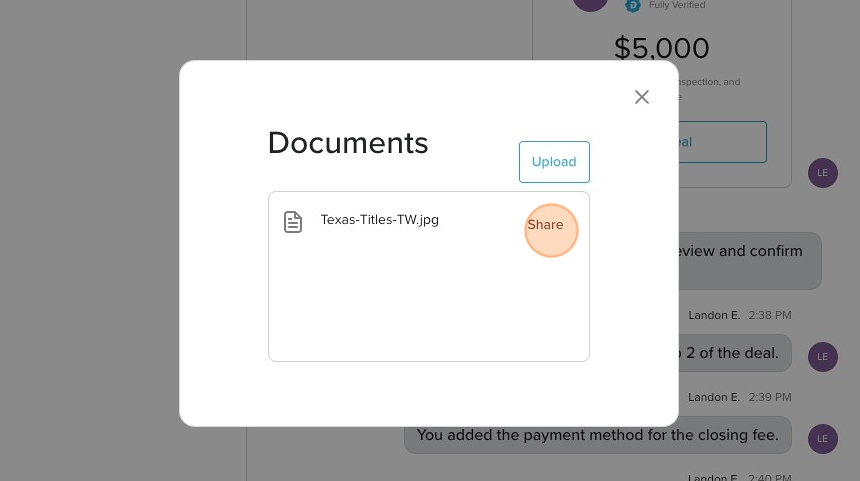
3. Click the "Upload" button to select which document you would like to upload to your DealNow account

4. After clicking Upload, you will need to select the document you would like to upload from your device. Once you select the document, you will then click "Share"
5. Your document will then appear in the text bar and you will need to click the send icon in order to share it with the buyer

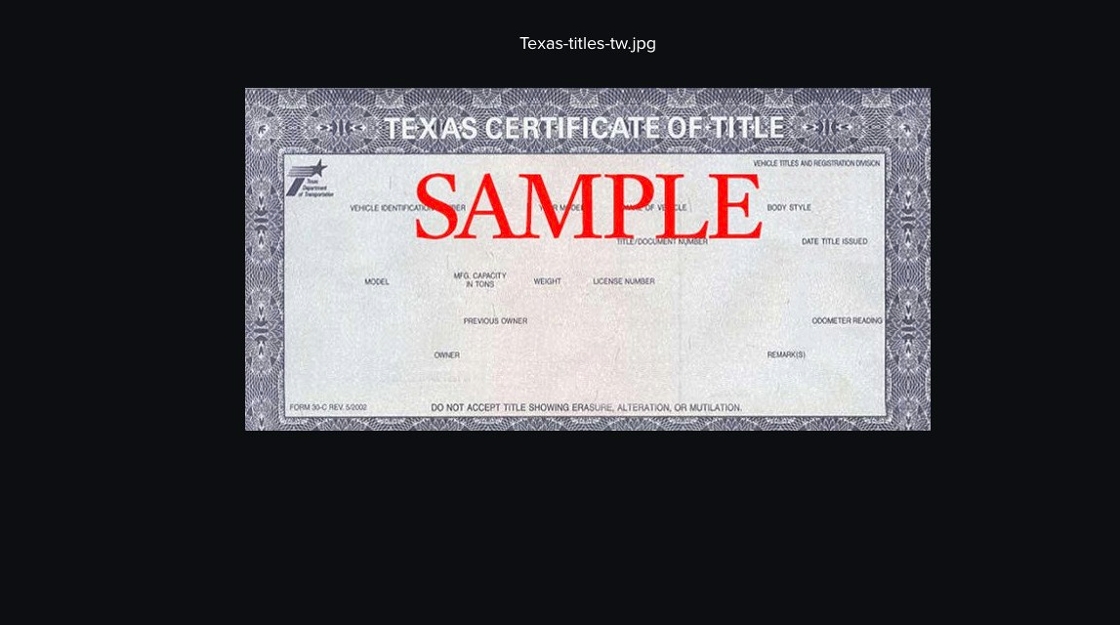
6. From there, you and the buyer can click on the document to view it

7. It will bring up a full screen preview of the document
Uploading/ sharing documents with a buyer within the Deal:
After there is an accepted offer between you and the buyer, you can upload documents within the deal record for the buyer to view. Here's how:
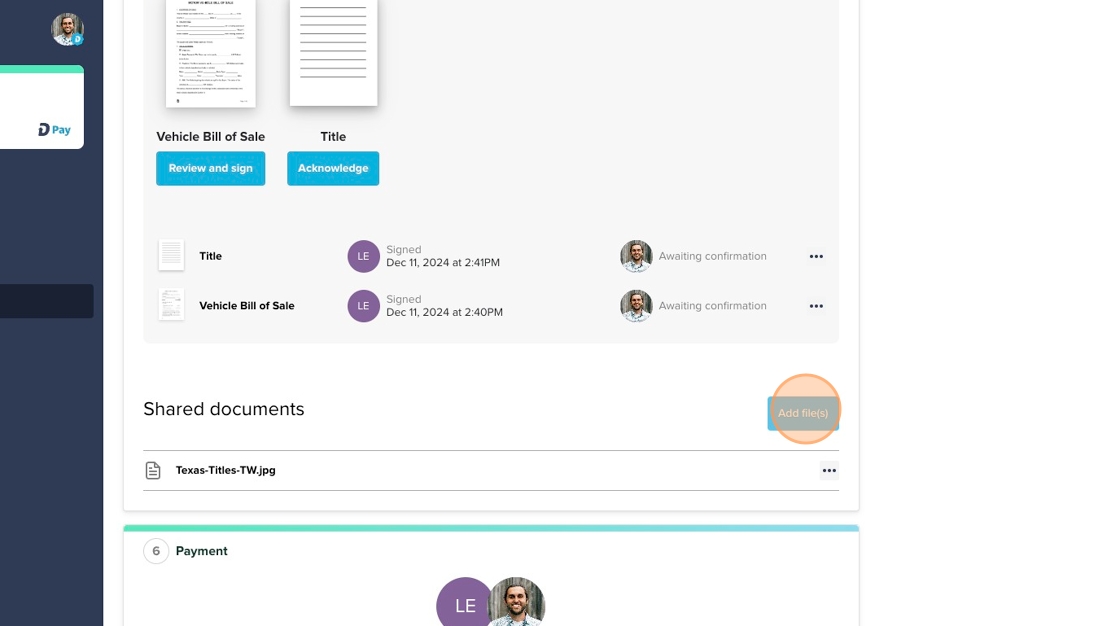
1. In Step 3 of the deal (the Title section), you can upload an image of the front and back of your title by clicking the "Add the title" button
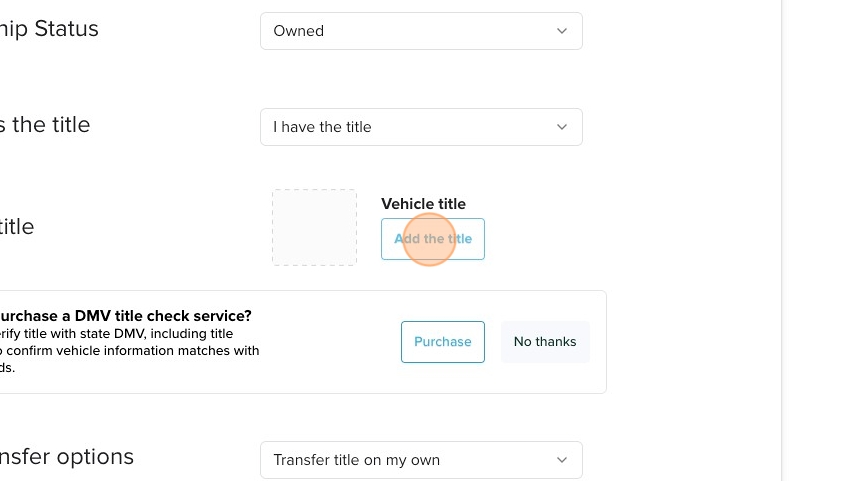
2. Click on the image placeholder for the front of the vehicle title and you will be prompted to select the image of the front of your title on your device

3. You will do the same for the back of the title

4. Once you have uploaded the front and back of your title you will click "Done"

5. You can then edit the images or delete them if need be

6. Within Step 5 of the deal, you can also add other documents such as Warranty information or any other documents pertaining to the vehicle you are selling. You will click "Add files" and then select the file you want to upload to the deal from your device