
How to Make a Deposit to Your Personal DealNow Pay Wallet
To fund your personal DealNow Pay (DPay) wallet, send a wire transfer from your bank. Wire transfers arrive the same day or the next business day, depending on when you initiate them. Before you start, make sure your DealNow Pay wallet is already set up.
Need to set up first? See How to Create a DealNow Pay Account and How to Connect Your Bank Account Via Plaid.
How to Add Funds by Wire Transfer
-
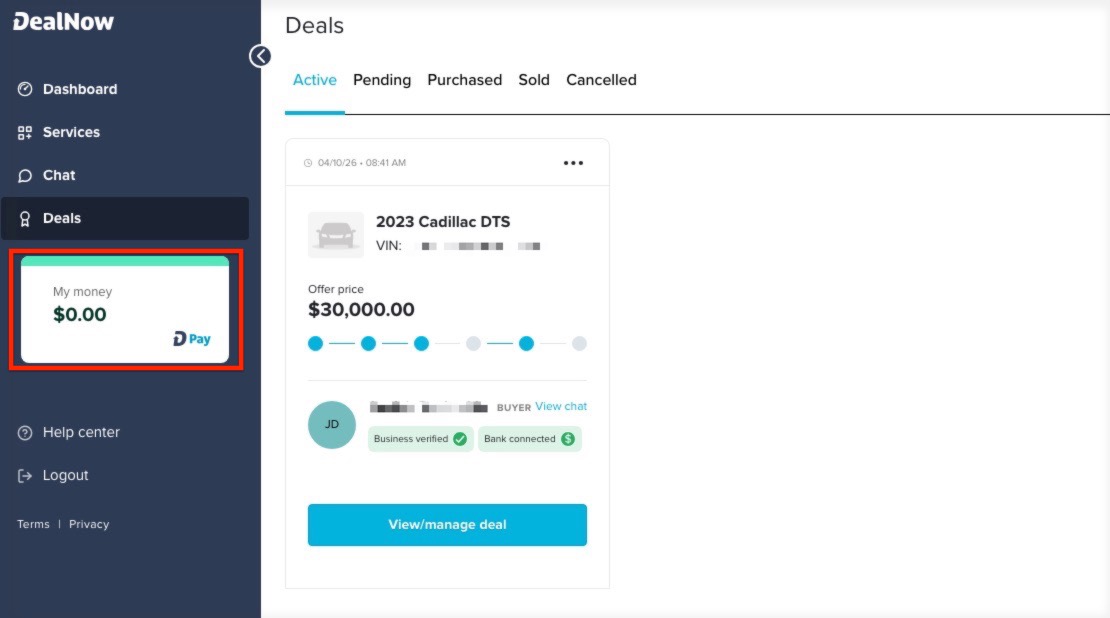
Open the "My Money" section in your DealNow account.
-
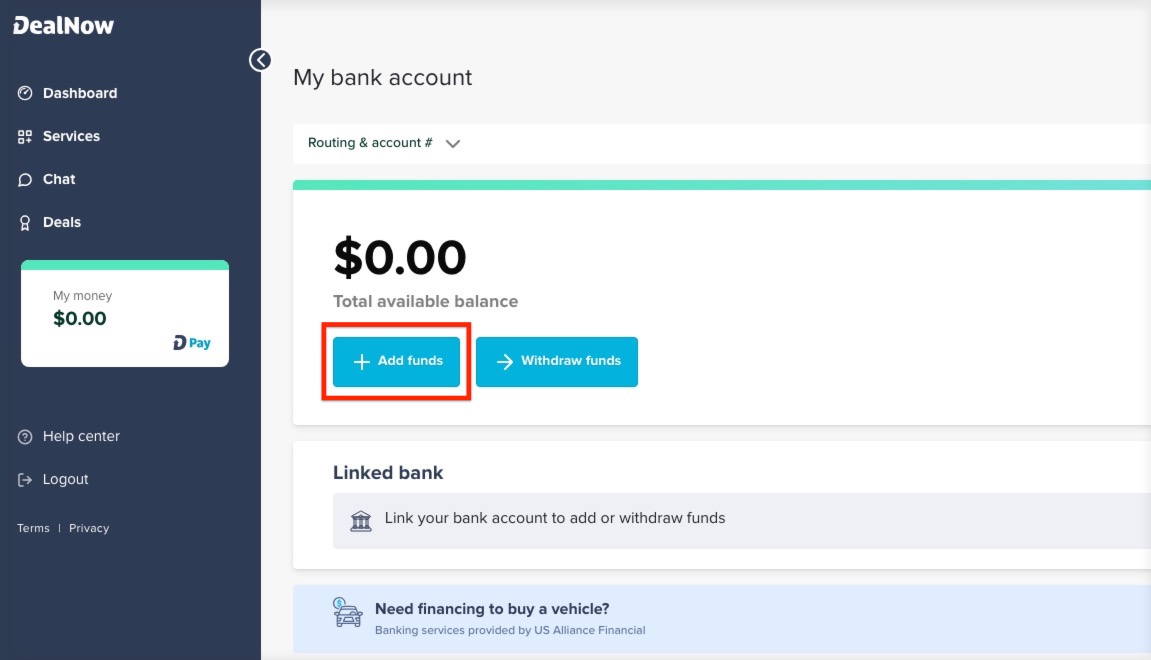
Click "Add Funds."
-
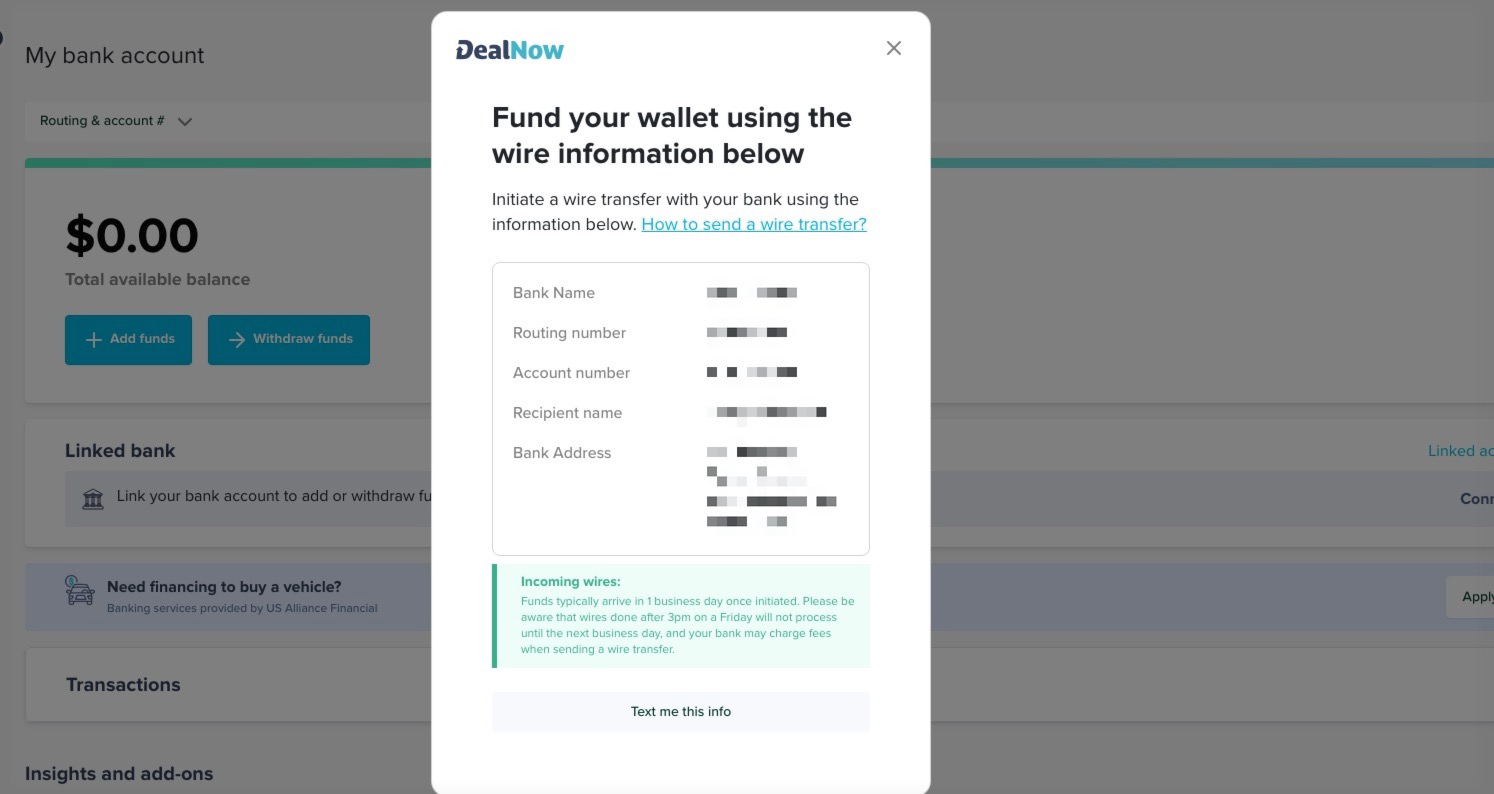
Your wire details appear automatically. Copy the wire information shown and use it to initiate the transfer at your bank, or tap the option to have the details sent to your phone by text.
-
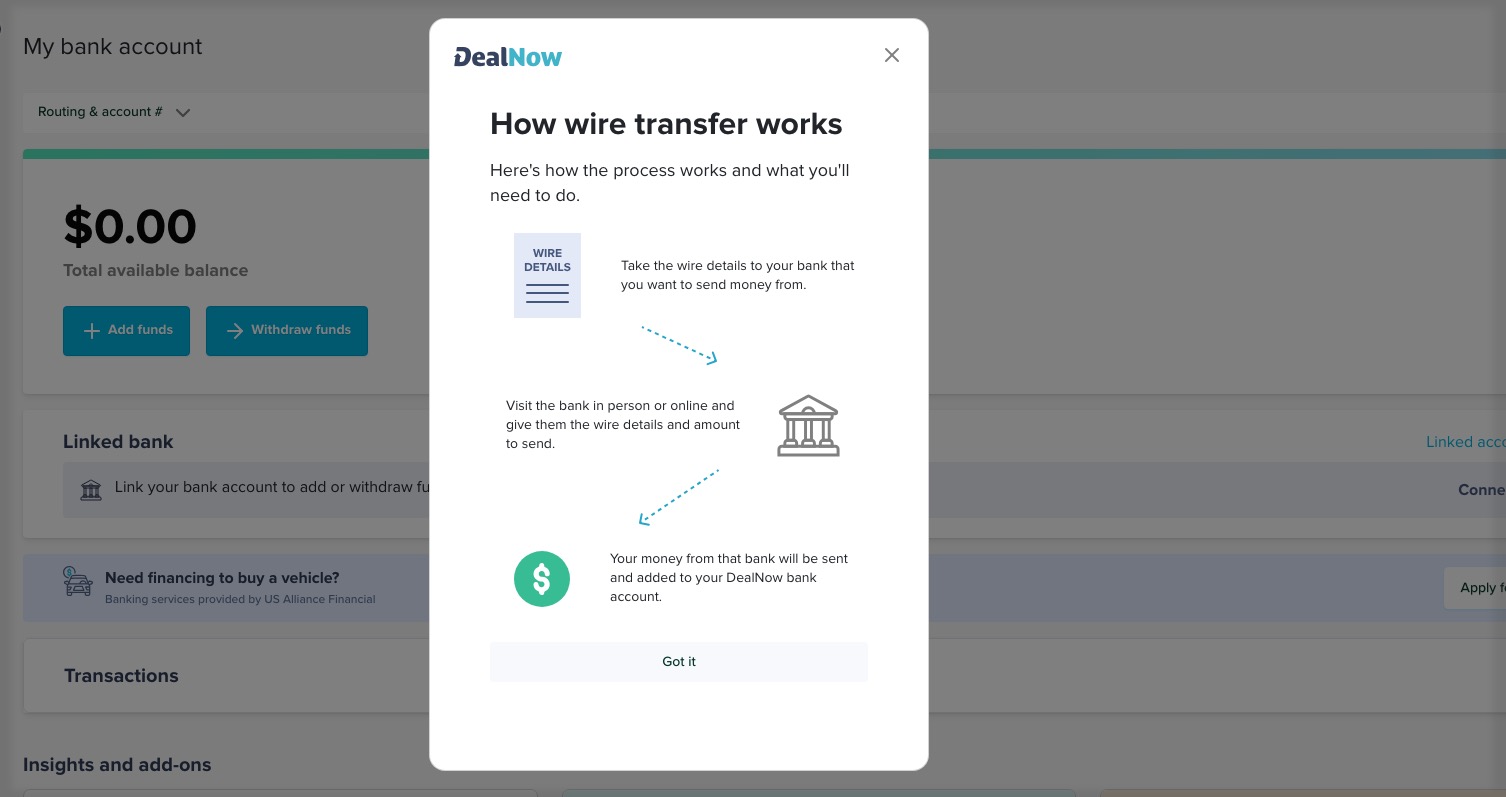
For step-by-step guidance on sending the wire from your bank, click "How to Send a Wire Transfer." This is what it will display.
Timing: Wire transfers fund your wallet the same day or the next business day. Wires do not process on weekends or holidays, only on business days. Your bank sets its own cutoff time. For example, if your bank's cutoff is 3:00 PM and you submit at 3:10 PM, the wire will not process until the next business day.
If You Have a Dealer Wallet
Deposits work differently for dealer wallets. Email support@dealnow.com and our team will walk you through the steps.
Still Need Help?
Email support@dealnow.com. We monitor it around the clock and reply within 24 hours. You can also call us Monday through Friday, 9:00 AM to 7:00 PM EST. When you write in, include your account email and a description of where you got stuck.
Related Articles
- How to Create a DealNow Pay Account
- How to Connect Your Bank Account Via Plaid
- How Long Does it Take for Deposits to Clear
- How to Withdraw Funds From Your DealNow Pay Account
- How Your DealNow Wallet Works: Fund Security and Account Details
Account services are provided by USALLIANCE Financial. DealNow does not handle your funds. All funds are held in your USALLIANCE Financial account.